

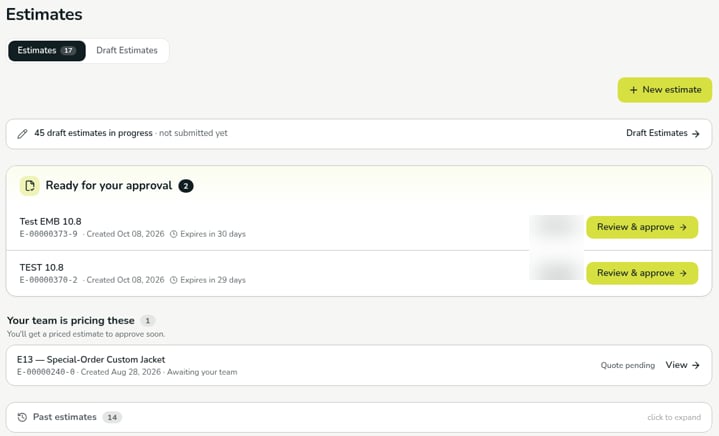
- Estimates: estimates you’ve submitted, with a count.
- Draft Estimates: estimates you started but haven’t submitted yet. If you have any, a line at the top of Estimates shows how many are in progress and links to them.
What’s on the Estimates tab
Estimates are grouped by what happens next. A section only appears when it has estimates in it.
Estimates waiting for your approval also appear under Needs you on your Home page.
You need the Estimator, Order, or Admin role to create and edit estimates. See Roles and permissions.
A guide to reviewing and approving an estimate is coming soon.
Verified against DEKHQ 41df3d0 on 2026-10-09