

Find your orders
Select Orders in the top menu. The page has two views:- Orders: orders you’ve placed.
- Draft Orders: orders you started but haven’t submitted yet. See Place your first order.
Your orders in progress also appear under In the works on the Home page, with the current stage.
Read your order’s page
Select an order to open its page.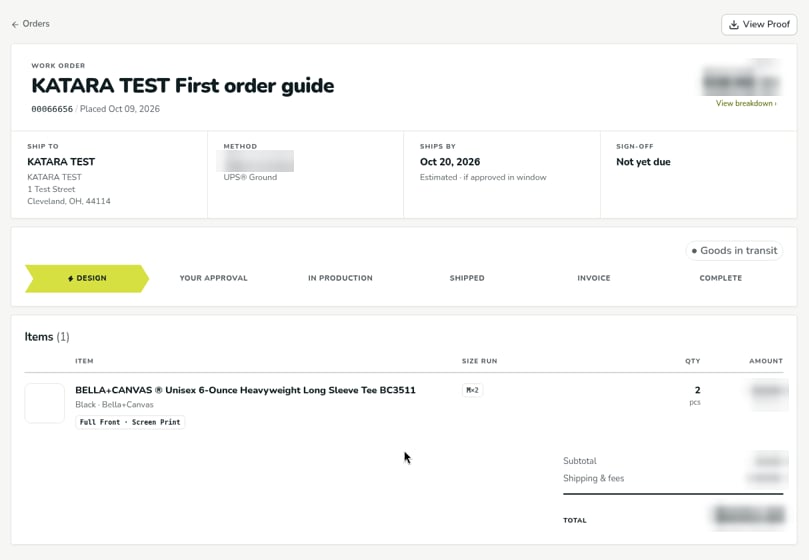
The timeline shows the order’s stage. The current stage is highlighted, and stages already passed are filled in.
Items lists each product with its sizes, quantity, and amount, followed by the Subtotal, Shipping & fees, and Total.
The order page doesn’t show shipment tracking. For tracking details on a shipped order, message your account manager from the chat button in the lower right corner of the order page.
Related
Verified against DEKHQ 41cdde7 on 2026-10-09